Starting a blog in 2026 is easier than ever.
You no longer need coding skills or technical knowledge.
With Hostinger + WordPress, you can launch your blog in less than 30 minutes.
In this beginner-friendly tutorial, I’ll show you:
✅ How to buy hosting
✅ How to install WordPress
✅ How to choose a domain
✅ How to launch your blog step-by-step
🚀 Why Start a Blog in 2026?
Blogging is still one of the best ways to:
- Make money online
- Build personal brand
- Start affiliate marketing
- Share knowledge
- Create passive income

🏆 Why I Recommend Hostinger for Beginners
Hostinger is perfect for beginners because it offers:
✅ Affordable pricing
✅ Beginner-friendly dashboard
✅ One-click WordPress install
✅ Fast loading speed
✅ Free SSL certificate
🔥 Get Hostinger Discount
📝 Step 1: Choose Your Blog Niche
Before creating your blog, choose a niche.
Good blog niches include:
- AI tools
- Fitness
- Gaming
- Technology
- Personal finance
- Blogging tips
👉 Choose something you enjoy and can write consistently about.

🌐 Step 2: Buy Hosting & Domain
To start a blog, you need:
- Hosting
- Domain name
Hostinger allows you to get both together.
👉 Recommended Plan:
Hostinger Premium Hosting
Best for:
- Beginners
- Bloggers
- Affiliate marketers
💰 Claim Hostinger Deal
⚡ Step 3: Create Your Hostinger Account
After clicking your plan:
- Create account
- Choose hosting duration
- Complete payment
👉 Longer plans usually give better discounts.
🌍 Step 4: Choose a Domain Name
Your domain is your website name.
Example:
- yourblog.com
Tips for Choosing a Domain
✅ Keep it short
✅ Easy to remember
✅ Avoid numbers & hyphens

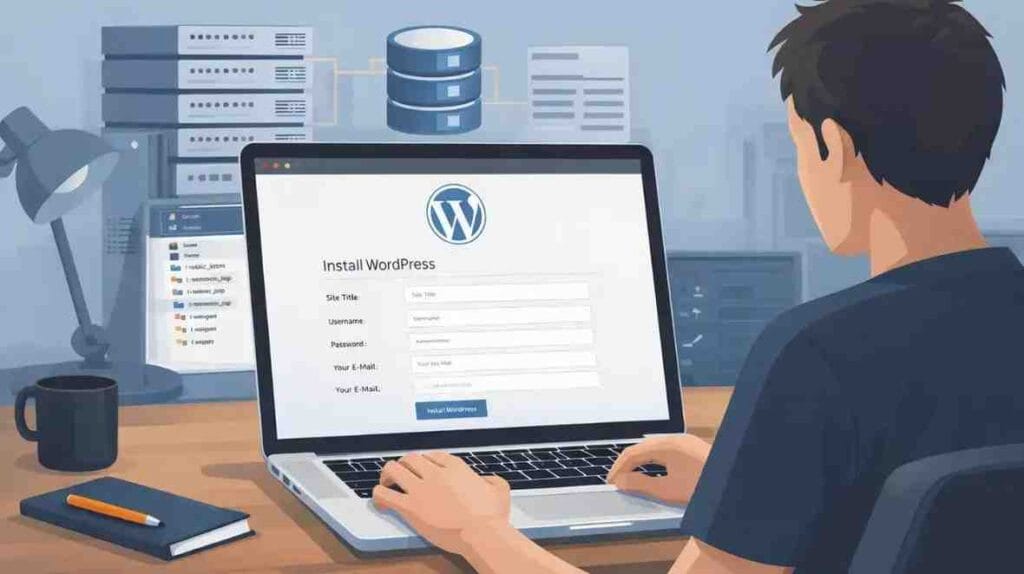
🖥️ Step 5: Install WordPress
Hostinger offers one-click WordPress installation.
Simply:
- Open Hostinger dashboard
- Click “Auto Installer”
- Select WordPress
- Enter website details
- Click install
👉 Your blog will be live within minutes.
🎨 Step 6: Choose a WordPress Theme
A theme controls your website design.
Good beginner themes:
- Astra
- GeneratePress
- Kadence
👉 Use lightweight themes for better speed.
🔌 Step 7: Install Important Plugins
Plugins add extra features to WordPress.
Recommended Plugins
SEO
- Rank Math SEO
Security
- Wordfence
Speed
- LiteSpeed Cache
Page Builder
- Elementor
📝 Step 8: Create Essential Pages
Every blog should have:
- About Page
- Contact Page
- Privacy Policy
- Disclaimer
✍️ Step 9: Write Your First Blog Post
Start with beginner-friendly topics in your niche.
Example Blog Ideas
AI Blog
- Best AI Tools for Beginners
Fitness Blog
- Best Protein for Muscle Gain
Gaming Blog
- Best eFootball Players
📈 Step 10: Optimize Your Blog for SEO
SEO helps your blog rank on Google.
Basic SEO Tips
✅ Use keywords naturally
✅ Add headings
✅ Optimize images
✅ Internal linking
✅ Fast loading speed
💰 How Bloggers Make Money
Blogs make money through:
- Affiliate marketing
- Ads
- Sponsored posts
- Digital products
🚀 Why Hostinger Is Great for Blogging
Hostinger works well because:
✅ Fast servers
✅ Affordable plans
✅ WordPress optimized
✅ Beginner-friendly

⚔️ Hostinger vs Other Hosting Providers
| Hosting | Ease of Use | Speed | Beginner Friendly |
|---|---|---|---|
| Hostinger | Easy | Fast | ✅ |
| Bluehost | Easy | Good | ✅ |
| GoDaddy | Medium | Average | ⚠️ |
🔐 Security & Performance
Hostinger includes:
- Free SSL
- Security protection
- Backups (on some plans)
🧠 Beginner Mistakes to Avoid
❌ Choosing wrong niche
❌ Installing too many plugins
❌ Ignoring SEO
❌ Using heavy themes
💡 My Recommendation
For beginners:
👉 Start with Hostinger Premium Plan
Because it offers:
✔ Best value
✔ Multiple websites
✔ Better performance
🚀 Start Your Blog Today With 20% discount
🏆 Final Verdict
Starting a blog in 2026 is easier than ever.
With Hostinger + WordPress, beginners can create a professional blog quickly and affordably.
👉 Recommended for:
- Bloggers
- Students
- Affiliate marketers
- Beginners

❓ FAQs
Is Hostinger good for beginners?
Yes, very beginner-friendly.
Do I need coding skills?
No, WordPress makes setup easy.
How much does it cost to start a blog?
You can start with affordable beginner hosting plans.
Can blogging make money?
Yes, through affiliate marketing, ads, and more.
In this article you will learn about
- how to start a blog
- how to start a wordpress blog
- hostinger tutorial
- wordpress beginner guide
- blogging for beginners